loveimage

IMAGE GENERATION & REFERENCE EDITING

Seedream 5.5

Make every word and detail count with Seedream 5.5.

Create sharp poster text with Seedream 5.5 from 9 credits at 1K. Try Edit with one reference image, choose 1K or 2K, and explore eight aspect ratios.

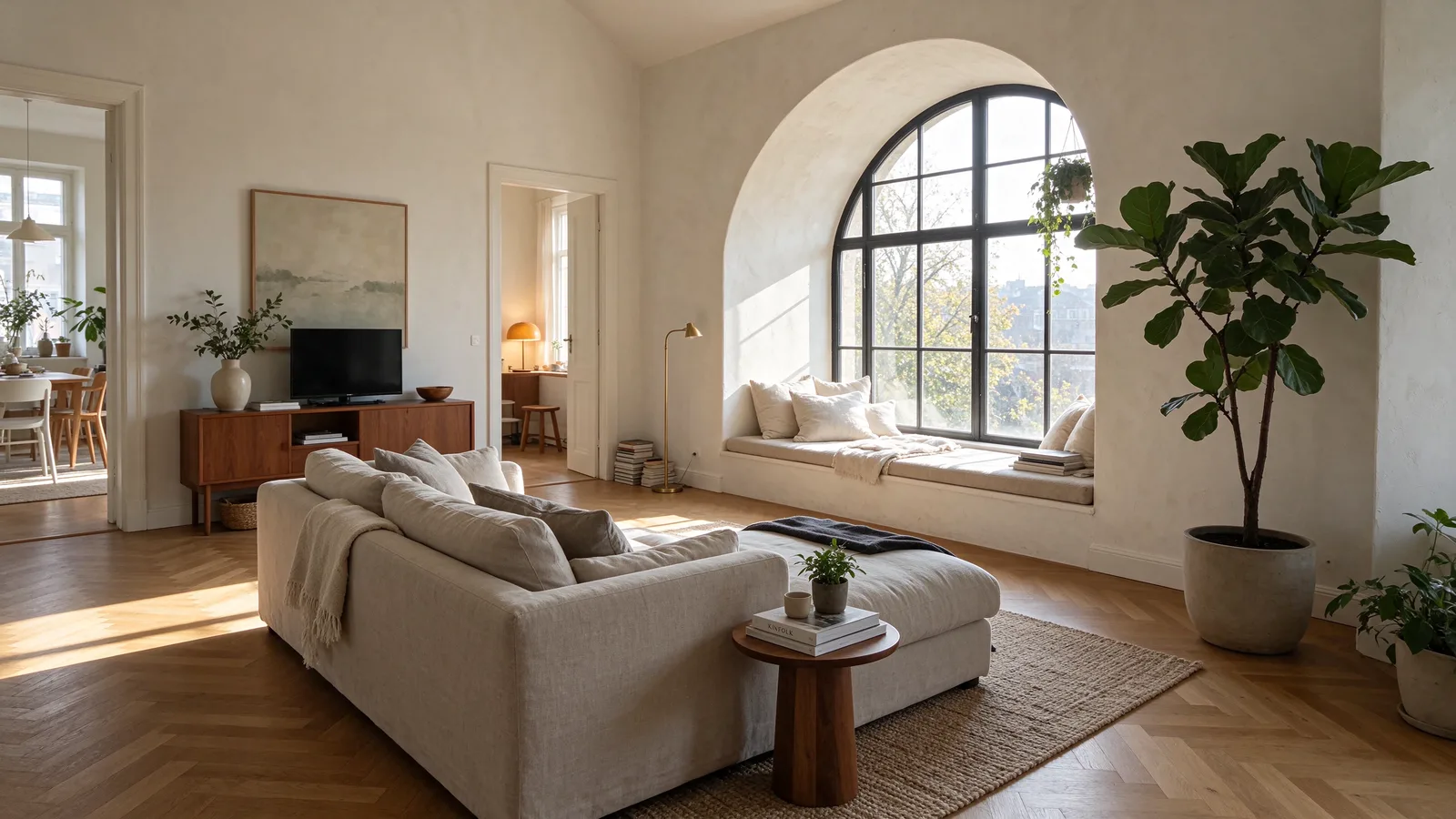
Seedream 5.5: Text-to-image · 2K · 16:9. An arched window lights oak floors, a linen sofa and a quiet reading corner.
1K / 2KOutput resolutions
8Aspect ratios
1Workspace reference image
9Credits for a 1K image

Seedream 5.5 at a glance

What this model actually accepts. The studio shows exactly these options when it is selected — nothing more, nothing it would reject.

Text-to-image · 1K/2K · eight aspect ratios

Open Seedream 5.5 in the studio →
Made by
ByteDance
Output
Still images
Aspect ratios
1:1 · 4:3 · 3:4 · 16:9 · 9:16 · 2:3 · 3:2 · 21:9
Resolution
1K · 2K
Reference image
Not used
Price
9 credits per image
9 credits / image

Your prompt and settings follow you through sign-in. Review them before generating.

01 / CAPABILITIES

Seedream 5.5 features

01

Seedream 5.5 for sharp poster text

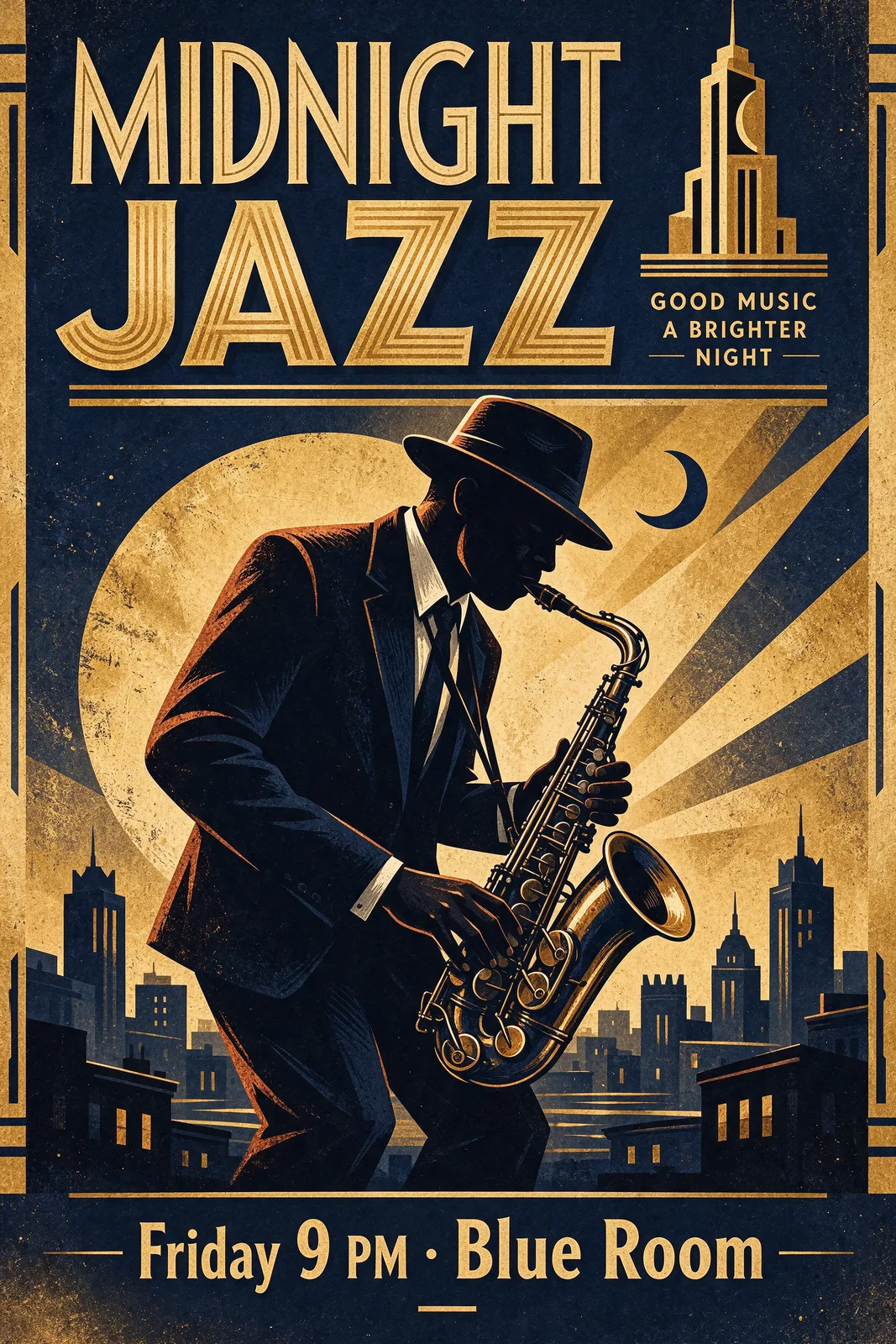
Build a poster around a short, readable headline. Put the exact words in quotation marks, describe the font style and reserve a clear area for the lettering. The jazz sample combines a large title, a smaller event line and a limited navy and gold palette. Inspect the result at full size before publishing, especially dates, punctuation and small supporting text.

02

Keep a subject consistent with Seedream 5.5 Edit

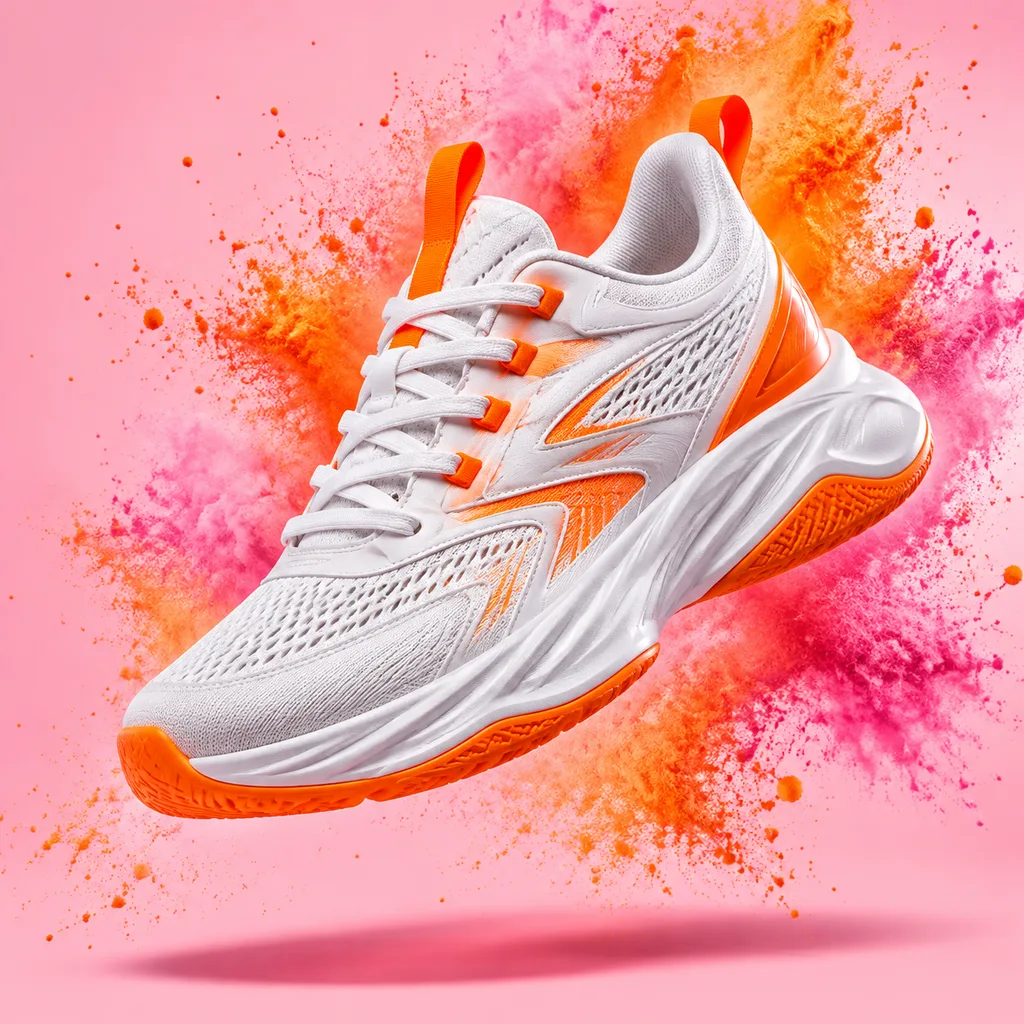
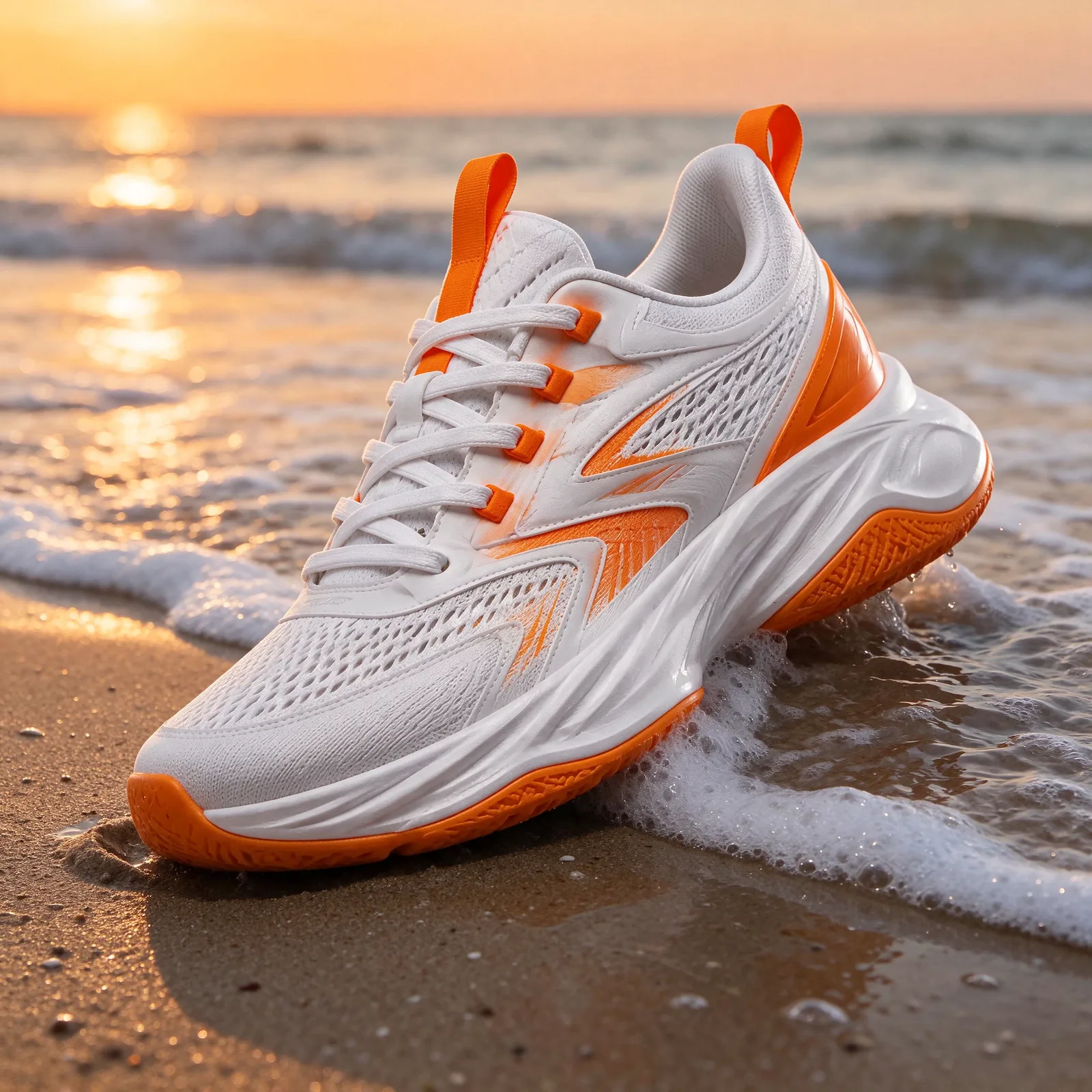
Upload one reference in the workspace and describe the change you want. Specify the details that should stay: product shape, colors, camera angle or a person’s pose. The sneaker example moves a studio product into a sunset beach scene; the portrait changes a photo into watercolor. Compare the reference thumbnail with the result and refine one instruction at a time.

03

Frame your idea with Seedream 5.5

Choose 1K or 2K and one of eight aspect ratios before generating. Square works for product tiles, portrait gives a poster room for a headline and supporting text, and landscape suits interiors or wide illustrations. All eight gallery results were generated at 2K; the displayed WebPs are resized for browsing. Their original English prompts are available below each image.

04

Start Seedream 5.5 at 9 credits

The embedded generator starts with text-to-image at 1K for 9 credits per output. Use this setting to test your composition, lighting and wording, then choose 2K for 16 credits when you want a larger result. Reference editing uses its own Edit model and costs 13 credits at 1K or 19 at 2K, including the workspace’s single reference.

02 / SHOWCASE

Seedream 5.5 image gallery

01

Seedream 5.5: Midnight Jazz

A navy and gold poster with a large art-deco headline, a saxophonist and an event line. Generated at 2K in 2:3.

Original prompt

A vintage jazz festival poster, bold art-deco typography reading "MIDNIGHT JAZZ" at the top and "Friday 9 PM · Blue Room" at the bottom, a silhouetted saxophonist under a spotlight, deep navy and gold palette, screen-print texture.

Seedream 5.5: Before · reference — Sneaker at sunsetBefore · reference After · edit
02

Sneaker at sunset

Edit · 2K · 1:1. The reference is the studio sneaker from the GPT Image 2.6 gallery; the result places it on wet sand.

Original prompt

Keep the exact sneaker from the reference image, same design and colors. Place it on wet sand at the edge of the sea at sunset, with gentle foam around it and a warm orange sky, realistic product photography.

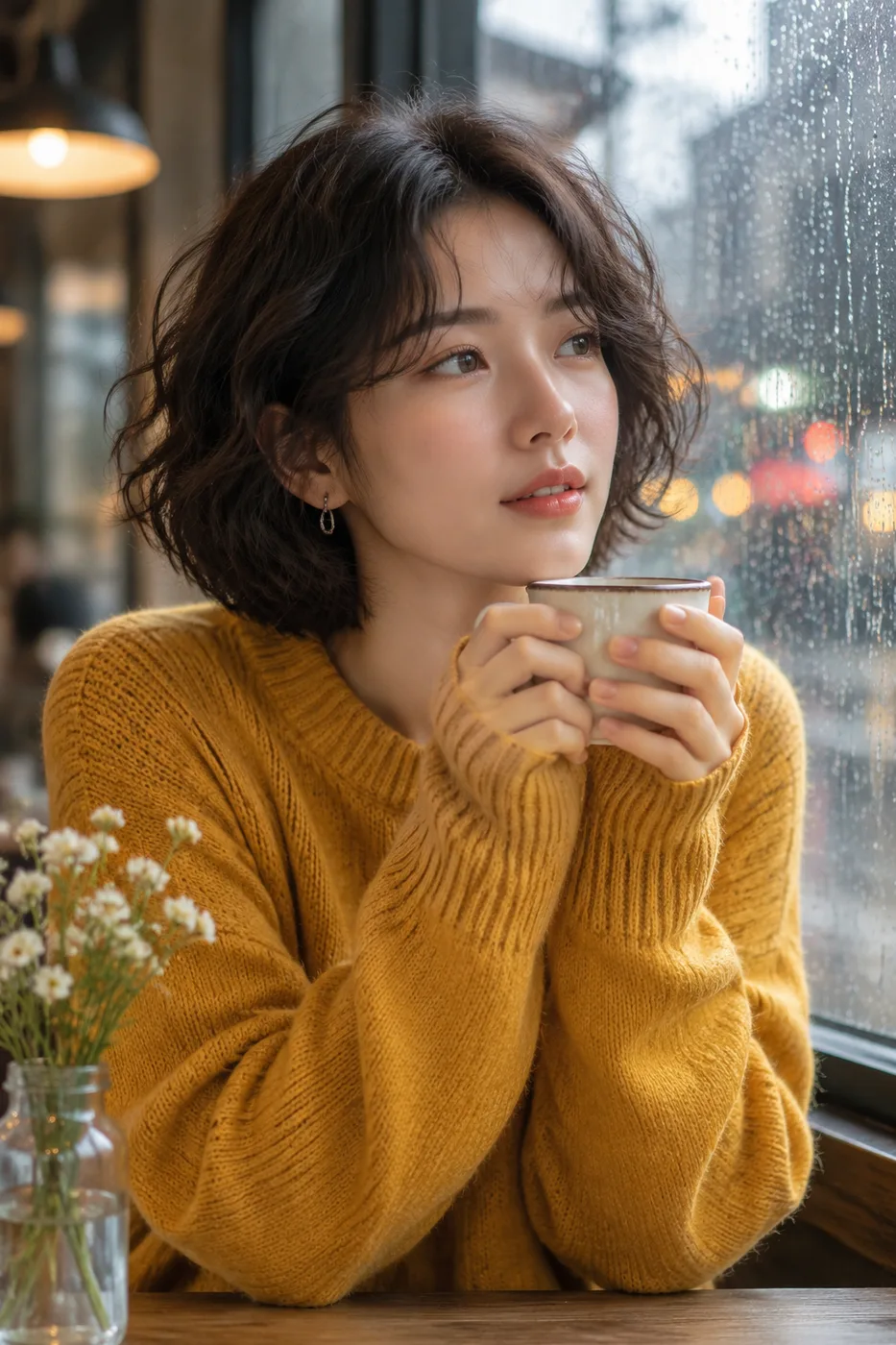
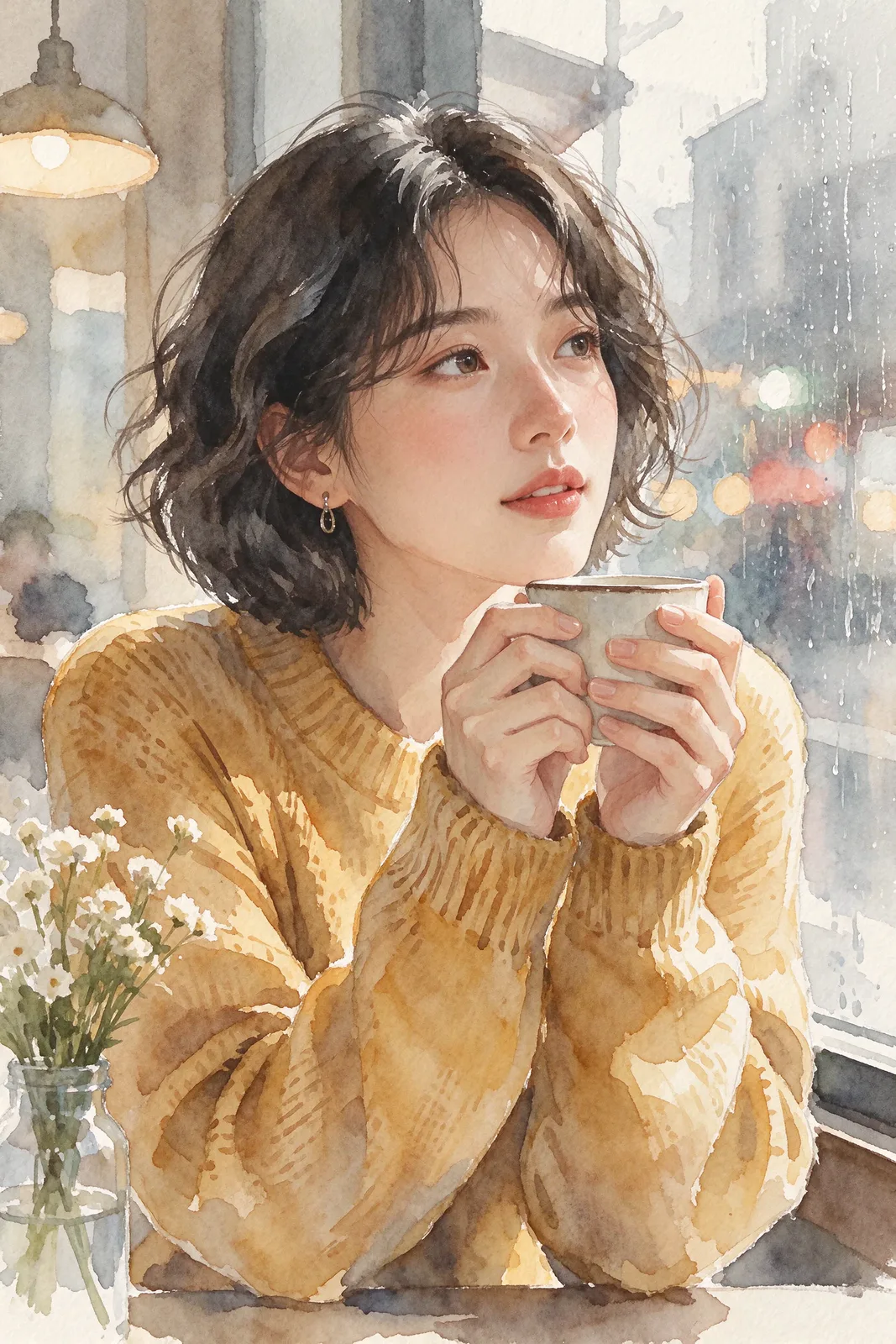
Seedream 5.5: Before · reference — Portrait in watercolorBefore · reference After · edit
03

Portrait in watercolor

Edit · 2K · 2:3. The reference is the café portrait from the GPT Image 2.6 gallery; the result reinterprets it with soft brushwork.

Original prompt

Turn the reference photo into a delicate watercolor painting. Keep the woman's pose, face, hairstyle and the cup in her hands; loose brush strokes, soft paper texture, muted warm palette.

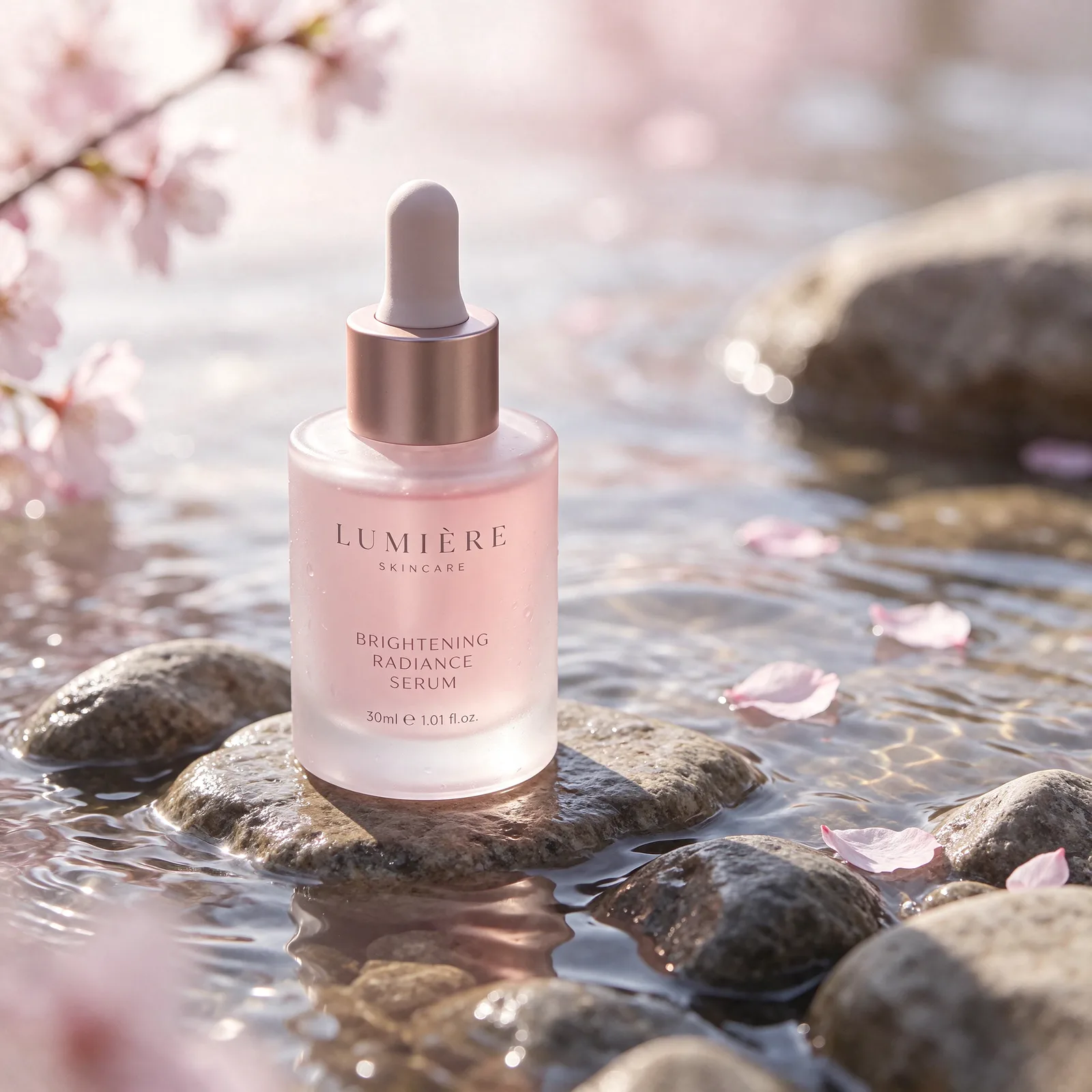
04

Skincare on river stones

Text-to-image · 2K · 1:1. Frosted glass, pale pink serum, wet stones and cherry blossom petals in soft morning light.

Original prompt

Premium skincare product photography: a frosted glass serum bottle with a pale pink liquid and a dropper cap, resting on wet river stones with soft morning light, water ripples and a few cherry blossom petals, clean minimal composition, 85mm lens.

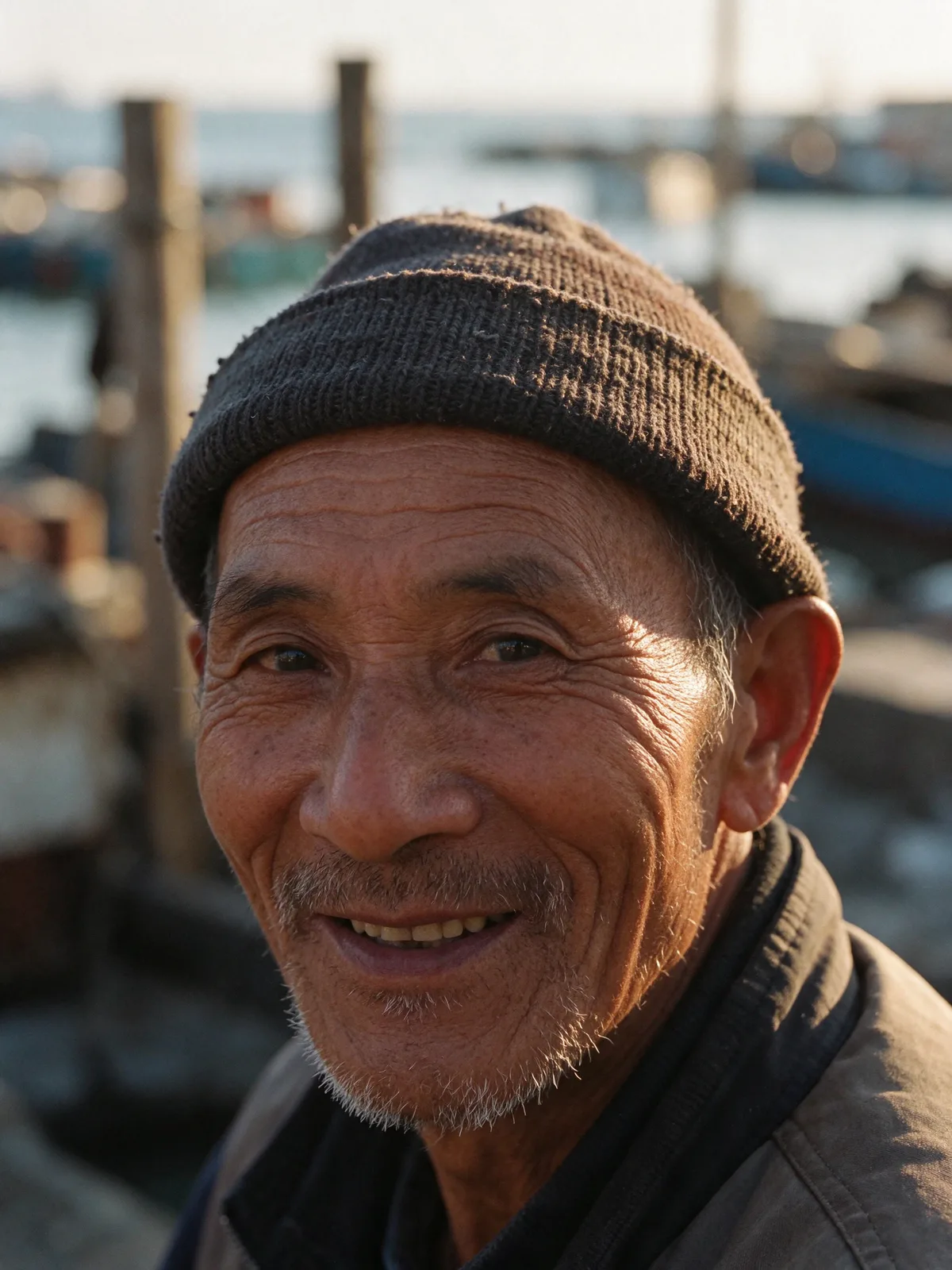
05

A seaside smile

Text-to-image · 2K · 3:4. A fisherman’s knitted cap, textured skin and warm side light in a candid street portrait.

Original prompt

Candid street portrait of an elderly fisherman in a knitted cap smiling at the camera in a seaside village, weathered skin texture, golden hour side light, shallow depth of field, documentary photography.

06

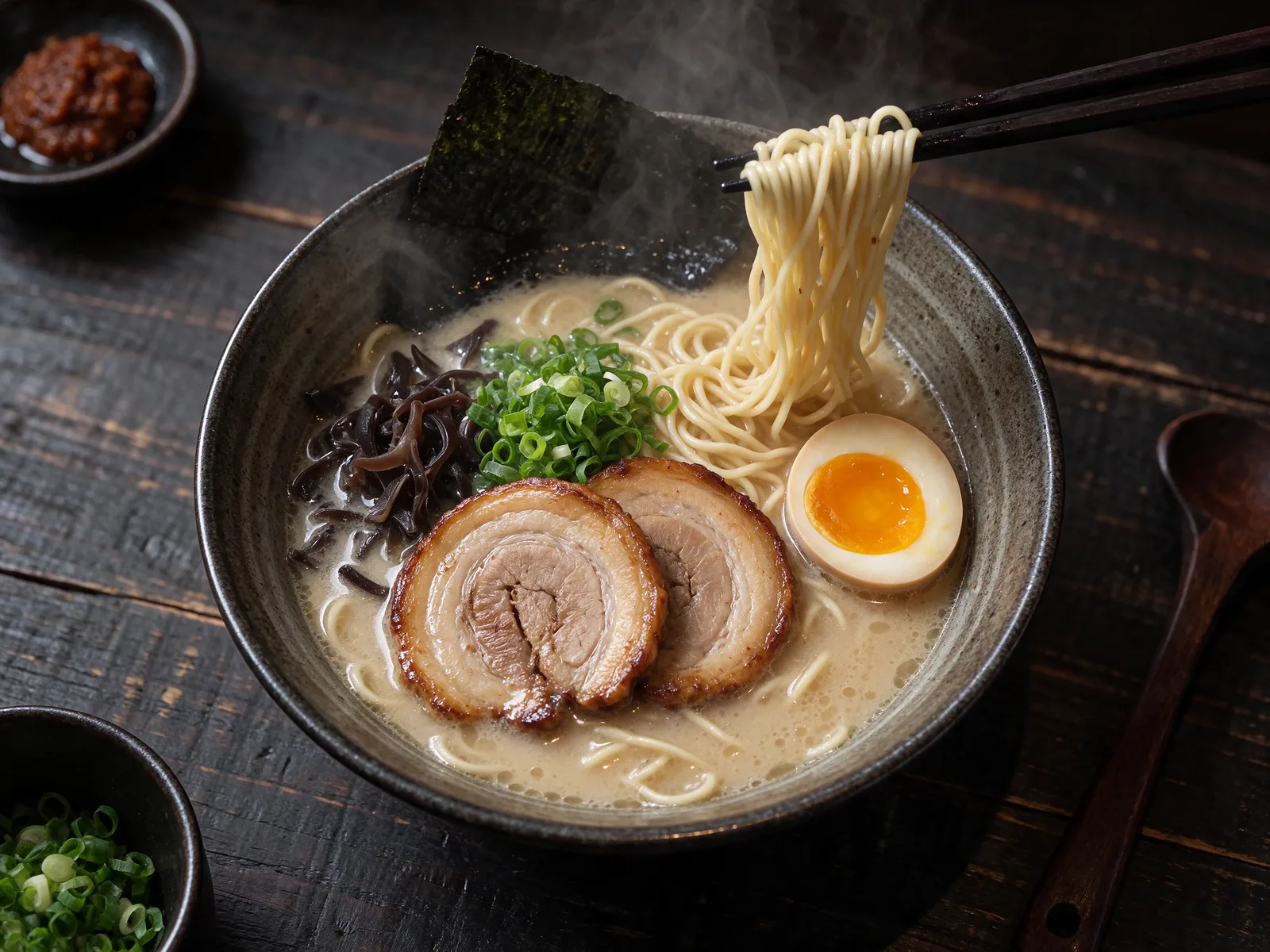
Ramen from above

Text-to-image · 2K · 4:3. Noodles lift from a bowl of ramen against a dark tabletop with moody restaurant lighting.

Original prompt

Overhead food photography of a steaming bowl of tonkotsu ramen with chashu pork, soft-boiled egg, scallions and nori on a dark wooden table, chopsticks lifting noodles, moody restaurant lighting.

07

Sunlit loft

Text-to-image · 2K · 16:9. An arched window lights oak floors, a linen sofa and a quiet reading corner.

Original prompt

A sunlit Scandinavian loft interior with a large arched window, oak floors, a linen sofa, a fiddle-leaf fig tree and a reading nook with stacked books, soft natural light, architectural photography.

08

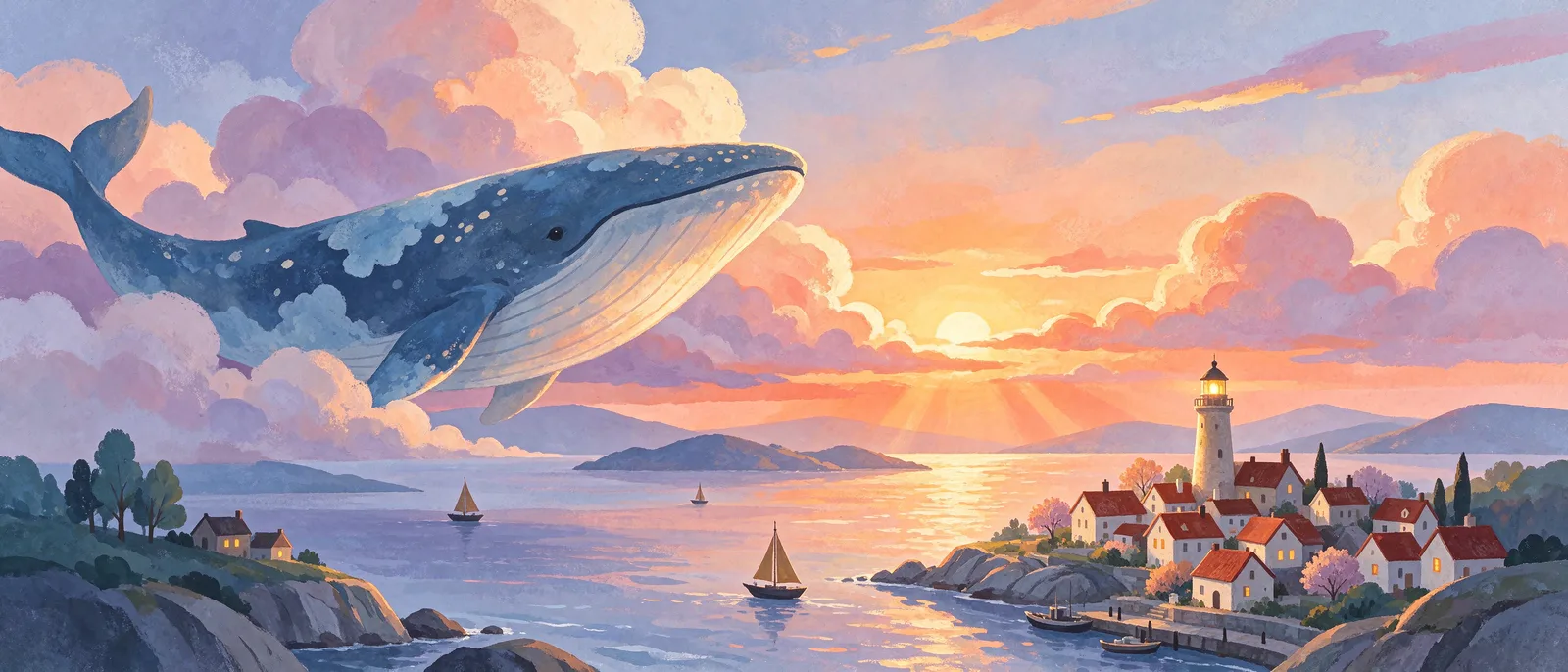
Whale above the clouds

Text-to-image · 2K · 21:9. A panoramic storybook scene with a giant whale, a small lighthouse town and warm pastel clouds.

Original prompt

A dreamy children's-book illustration of a giant whale swimming through clouds above a tiny lighthouse town at sunset, soft gouache texture, warm pastel colors, wide panoramic composition.

03 / CREATIVE STARTING POINTS

Seedream 5.5 prompt ideas

Explore these Seedream 5.5 prompts: the first two produced the poster and sneaker edit above. The English text is preserved exactly; choose Edit and upload the shown reference for either editing brief.

01

Poster: exact lettering

A vintage jazz festival poster, bold art-deco typography reading "MIDNIGHT JAZZ" at the top and "Friday 9 PM · Blue Room" at the bottom, a silhouetted saxophonist under a spotlight, deep navy and gold palette, screen-print texture.

02

Edit: keep the sneaker

Keep the exact sneaker from the reference image, same design and colors. Place it on wet sand at the edge of the sea at sunset, with gentle foam around it and a warm orange sky, realistic product photography.

03

Edit: watercolor portrait

Turn the reference photo into a delicate watercolor painting. Keep the woman's pose, face, hairstyle and the cup in her hands; loose brush strokes, soft paper texture, muted warm palette.

04

Product: skincare campaign

Premium skincare product photography: a frosted glass serum bottle with a pale pink liquid and a dropper cap, resting on wet river stones with soft morning light, water ripples and a few cherry blossom petals, clean minimal composition, 85mm lens.

05

Interior: natural light

A sunlit Scandinavian loft interior with a large arched window, oak floors, a linen sofa, a fiddle-leaf fig tree and a reading nook with stacked books, soft natural light, architectural photography.

04 / FAQ

Seedream 5.5 FAQ

What is Seedream 5.5?

Seedream 5.5 is an image model on LoveImage for generating posters, product photos, portraits and illustrations from a written prompt. The gallery shows eight real 2K results, including two reference edits.

How do Seedream 5.5 and Seedream 5.5 Edit differ?

The base model creates images from text without a reference. Seedream 5.5 Edit requires a reference image plus a prompt describing what to preserve and change. Both offer the same two resolution steps and eight ratios here.

How many credits does Seedream 5.5 cost at each step?

Text-to-image costs 9 credits at 1K and 16 at 2K per output. Edit costs 13 credits at 1K and 19 at 2K, including one reference. Multiple outputs multiply the per-image cost.

Which resolutions and ratios does Seedream 5.5 offer?

Both modes offer 1K and 2K. Choose 1:1, 4:3, 3:4, 16:9, 9:16, 2:3, 3:2 or 21:9. Pick the framing that matches your intended placement before generating.

How many reference images can I upload, and how does editing work?

The workspace accepts one reference image at a time. Select Edit, upload the image, describe the desired changes and choose resolution and ratio. List the subject details to keep, then review the result beside the original.

Which plans include access and commercial use?

Creator, Studio and Scale include both models and commercial use. Free includes neither these models nor commercial use. You need an eligible plan and enough credits; use reference material you have permission to use.

How does Seedream 5.5 compare with Seedream 5 Pro and 5 Lite here?

For both generation and editing, 5 Pro offers 1K at 20 credits and 2K at 39. The 5 Lite models offer 2K, 3K and 4K at 19 credits each. Choose by resolution, workflow and budget.

How can I improve poster lettering?

Quote the exact headline and subtitle separately. Specify placement, font style and contrast; keep lines short. Check spelling and punctuation at full size, then simplify the layout or revise the wording for another attempt.

How can I keep a product consistent during an edit?

Use a clear reference and explicitly preserve its silhouette, materials, colors and distinctive details. Request one change at a time, such as the setting. Compare seams, logos, proportions and shadows before using the image.

What prompt structure works well?

Start with the subject, then composition, setting, light and style. Add exact quoted text when needed. For an edit, state what stays and what changes. The prompt ideas reuse five original gallery briefs so you can compare.